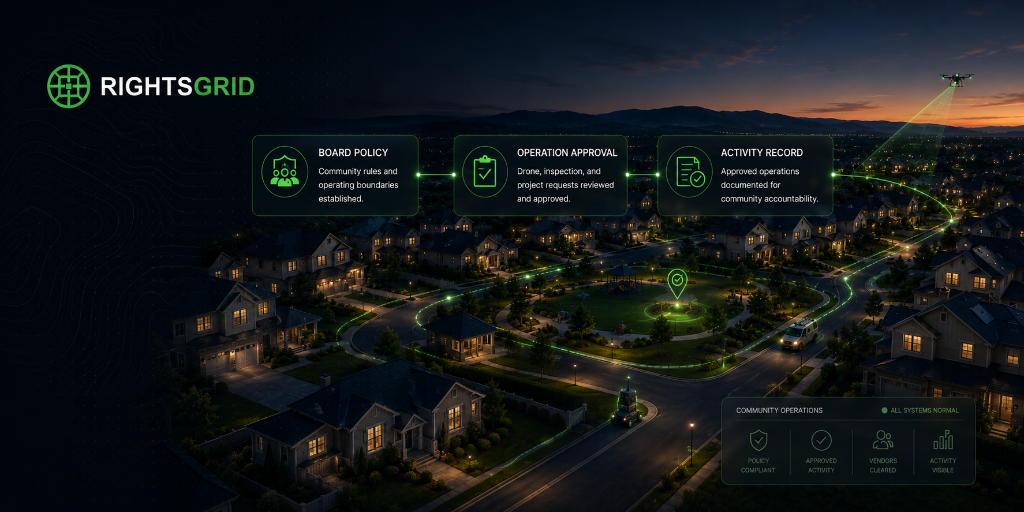
Set default community rules for drones, inspections, delivery robots, and sensors.The community sets shared defaults. Owners review and change the parts they control.
RightsGrid gives HOAs, property managers, and community organizations a structured way to publish a documented autonomous access policy — and invite every owner to review and confirm their own terms.
Free to set up · No commitment · Owners always in control
Why community managers choose RightsGrid
The autonomous systems industry needs consistent, machine-readable policies. One fragmented property at a time isn't a strategy. A coordinated community posture is.
Set community defaults
Define a baseline rights posture for drone access, ground robots, sensors, and data collection that applies across your entire community or portfolio — without overriding anyone.
Let owners tune or override
Every individual property owner keeps full control. They can accept your defaults, customize their terms, or set their own stance independently. Their name, their rights, their call.
Create a consistent, explainable posture
When an operator asks 'what's your community's policy on delivery drones?', you have a clear, documented, machine-readable answer. No ambiguity. No liability gap.
Who this is for
If you manage shared property, oversee a neighborhood, or coordinate operations across multiple owners — this is built for you.
Set a neighborhood-wide default that every homeowner can review and adopt individually.
Coordinate drone, sensor, and delivery robot access across your entire managed portfolio.
Act as the point-of-contact for autonomous access requests on behalf of your residents.
Handle incoming inspection or delivery access requests and maintain a clear approval record.
Example: Inspection request workflow
Here's what a real request looks like from start to finish using RightsGrid.
A utility company requests aerial inspection access across properties in your community.
You check the community's registered drone policy — it permits overhead inspection access during daytime hours.
Owners with affected properties receive a notice. Any owner who has customized their terms can flag a conflict before access begins.
The decision, policy version, and owner stances are logged. The operator has a clear, documented basis for access.
How to get set up
A simple, transparent workflow that keeps owners informed and in control at every step.
Define default stances for each rights category — drone access, sensors, delivery robots, inspections, and more.
Owners receive a personal link to review your community defaults. They can accept them as-is or tune any category to their preference.
Each owner reviews, accepts the legal terms, and submits their own owner-approved declaration. Nothing is published on their behalf.
Every property now has a consistent, documented, machine-readable rights profile — and you can show operators exactly where you stand.
Ready to set your community's rights posture?
Free to set up. No commitment. Owners always in control of their own declaration.